From public link to downloadable media
These screenshots were captured from the live ContentDown interface. The examples illustrate a particular public post; available results vary.
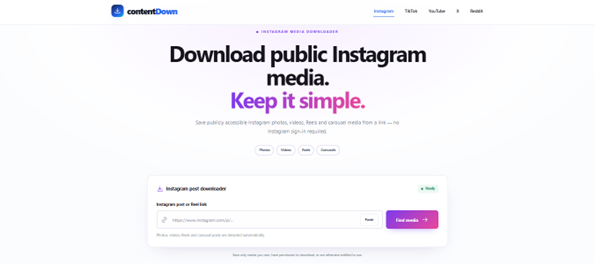
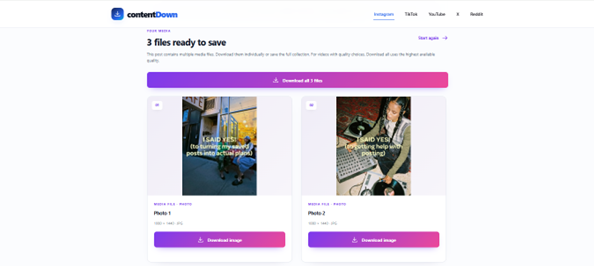
Follow these steps
Open the individual post rather than a profile or search page.
Use Copy link, then paste the URL into the matching platform downloader.
Confirm that ContentDown identifies the media before choosing a download.
Only save or reuse media when you have the appropriate rights or permission. Public access does not grant a reuse licence.
Use the post's share control
The safest starting point is the platform's Copy link action or the browser address while the individual post is open. Avoid copying a profile URL, search-results URL or a truncated link displayed as text.
What ContentDown expects
Instagram expects a supported public post or Reel link. TikTok accepts standard and common short share links. X expects an x.com or twitter.com status URL. Reddit currently requires the full reddit.com /comments/ post URL.
Before retrying an error
Open the copied URL in a private browser window. If the content itself cannot be viewed publicly there, ContentDown is unlikely to retrieve it without access controls that the service deliberately does not bypass.
Examples of what counts as a post URL
For Instagram, look for a post or Reel path rather than a profile page. For X, look for a status URL. For Reddit, look for /comments/ in the full post URL. TikTok supports standard video links and some common share redirects.
Remove unrelated tracking parameters when convenient, but do not remove the identifier that points to the post. ContentDown validates supported link shapes before it attempts media discovery.
A privacy-friendly troubleshooting method
Paste the link into a private browser window to test whether the post can be viewed without your signed-in account. This is a diagnostic check, not proof that you have redistribution rights.
If the URL leads to a login prompt, deleted post or unrelated profile, find the original public post address rather than repeatedly retrying the same link.