From public link to downloadable media
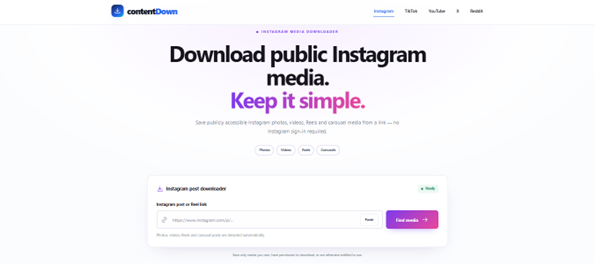
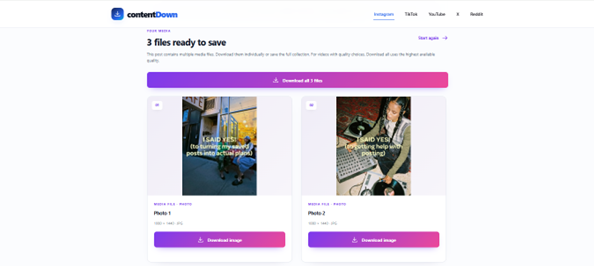
These screenshots were captured from the live ContentDown interface. The examples illustrate a particular public post; available results vary.
Follow these steps
Open the public Instagram post and use its share option to copy the post link.
Paste the post URL into the Instagram downloader and choose Find media.
Review the returned photos or video items; select the individual file you need, or the available collection action.
Only save or reuse media when you have the appropriate rights or permission. Public access does not grant a reuse licence.
One post, multiple media items
An Instagram carousel is a single post containing an ordered collection of media. Items may be photos, videos or a mixture. A useful downloader therefore has to preserve the distinction between the post URL and the individual media files it contains.
What ContentDown does
For a compatible public carousel, ContentDown presents detected items individually and in order. That lets you preview the available files and save only the items you need instead of treating the post as one flattened image.
If an item is missing
Availability depends on the public media renditions exposed for the submitted post. Confirm the post is public and copy a fresh post URL before assuming the carousel itself is unsupported.
A concrete example of the results experience
Imagine a public post containing two photos followed by one video. A useful result needs to preserve the three separate items and their sequence. The user should be able to identify the intended photo or video instead of receiving an unexplained single file.
ContentDown presents the compatible media items it detects. The actual number of files and available renditions depend on the specific public post, so check the preview before downloading.
Troubleshooting a partial collection
Confirm you pasted the post URL rather than an individual media CDN link or profile address. Reload the public post in a private browsing session and check whether all carousel slides are accessible.
If a specific slide is missing from the result, do not assume ContentDown has a copy stored elsewhere. Try a fresh link and report the issue with the public post URL, without sending passwords or cookies.