From public link to downloadable media
These screenshots were captured from the live ContentDown interface. The examples illustrate a particular public post; available results vary.
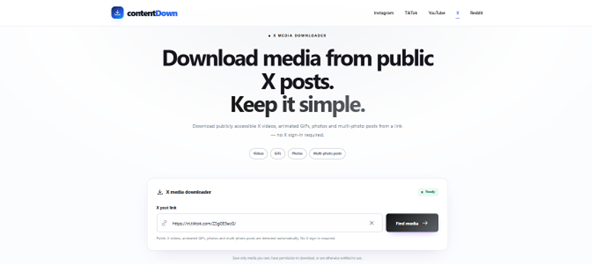
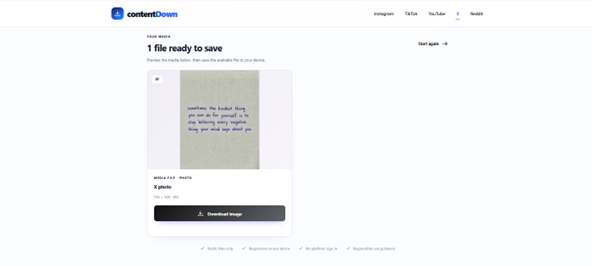
Follow these steps
Open the individual public X post and copy its status link.
Paste the link into ContentDown’s X downloader.
Inspect the media card and its actual file type before saving.
Only save or reuse media when you have the appropriate rights or permission. Public access does not grant a reuse licence.
What you see vs what is delivered
A post can be labelled or understood as an animated GIF while the platform delivers the animation using video. This is efficient because modern video codecs generally compress moving imagery better than the classic GIF format.
Why ContentDown returns MP4
For supported X animated-GIF posts, ContentDown exposes the MP4 media file X makes available for that public post. It does not pretend the file is a .gif when the underlying downloadable asset is video.
Practical consequence
The downloaded animation may open in a video player rather than an image viewer. If another application specifically requires GIF, conversion is a separate transformation and can increase file size or reduce colour fidelity.
Why the format matters
A classic GIF file has no ordinary audio track and uses a limited palette. A looping MP4 can deliver smooth animation more efficiently, which is why a social post described as a GIF may expose a video resource.
If the downloaded file is MP4, use a video-capable player or editor. Renaming its extension to .gif does not convert its encoding.
Check the file rather than the label
Open the result preview and inspect the file extension before saving. For a local file, ContentDown’s Media Inspector can show its type, dimensions and size.
If you need an actual animated GIF for a specific workflow, convert a copy using an appropriate tool while keeping in mind that conversion may increase size or reduce colour quality.